Menu Close

Category: future-proofing

SXSWi: You’re Dead, Your Data Isn’t: What Happens Now?

This five person panel at SXSW Interactive 2011 tackled a broad range of issues related to what happens to our online presence, assets, creations and identity after our death.

Presenters:

There was a lot to take in here. You can listen to the full audio of the session or watch a recording of the session’s live stream (the first few minutes of the stream lacks audio).

A quick and easy place to start is this lovely little video created as part of the promotion of Your Digital Afterlife – it gives a nice quick overview of the topic:

Also take a look at the Visual Map that was drawn by Ryan Robinson during the session – it is amazing! Rather than attempt to recap the entire session, I am going to just highlight the bits that most caught my attention:

Laws, Policies and Planning
Currently individuals are left reading the fine print and hunting for service specific policies regarding access to digital content after the death of the original account holder. Oklahoma recently passed a law that permits estate executors to access the online accounts of the recently deceased – the first and only state in the US to have such a law. It was pointed out during the session that in all other states, leaving your passwords to your loved ones is you asking them to impersonate you after your death.

Facebook has an online form to report a deceased person’s account – but little indication of what this action will do to the account. Google’s policy for accessing a deceased person’s email requires six steps, including mailing paper documents to Mountain View, CA.

There is a working group forming to create model terms of service – you can add your name to the list of those interested in joining at the bottom of this page.

What Does Ownership Mean?
What is the status of an individual email or digital photo? Is it private property? I don’t recall who mentioned it – but I love the notion of a tribe or family unit owning digital content. It makes sense to me that the digital model parallel the real world. When my family buys a new music CD, our family owns it – not the individual who happened to go to the store that day. It makes sense that an MP3 purchased by any member of my family would belong to our family. I want to be able to buy a Kindle for my family and know that my son can inherit my collection of e-books the same way he can inherit the books on my bookcase.

Remembering Those Who Have Passed
How does the web change the way we mourn and memorialize people? Many have now had the experience of learning of the passing of a loved one online – the process of sorting through loss in the virtual town square of Facebook. How does our identity transform after we are gone? Who is entitled to tag us in a photo?

My family suffered a tragic loss in 2009 and my reaction was to create a website dedicated to preserving memories of my cousin. At the Casey Feldman Memories site, her friends and family can contribute memories about her. As the site evolved, we also added a section to preserve her writing (she was a journalism student) – I kept imagining the day when we realized that we could no longer access her published articles online. I built the site using Omeka and I know that we have control over all the stories and photos and articles stored within the database.

It will be interesting to watch as services such as Chronicle of Life spring up claiming to help you “Save your memories FOREVER!”. They carefully explain why they are a trustworthy digital repository and why they backup their claims with a money-back guarantee.

For as little as $10, you can preserve your life story or daily journal forever: It allows you to store 1,000 pages of text, enough for your complete autobiography. For the same amount, you could also preserve less text, but up to 10 of your most important photos. – Chronicle of Life Pricing

Privacy
There are also some interesting questions about privacy and the rights of those who have passed to keep their secrets. Facebook currently deletes some parts of a profile when it converts it to a ‘memorial’ profile. They state that this is for the privacy of the original account holder. If users are ultimately given more power over the disposition of their social web presence – should these same choices be respected by archivists? Or would these choices need to be respected the way any other private information is guarded until some distant time after which it would then be made available?

Conculsion
Thanks again to all the presenters – this really was one of the best sessions for me at SXSWi! I loved that it got a whole different community of people thinking about digital preservation from a personal point of view. You may also want to read about Digital Death Day – one coming up in May 2011 in the San Francisco Bay Area and another in September 2011 in the Netherlands.

Image credit: Excerpt from Ryan Robinson’s Visual Map created live during the SXSW session.

Encouraging Participation in the Census

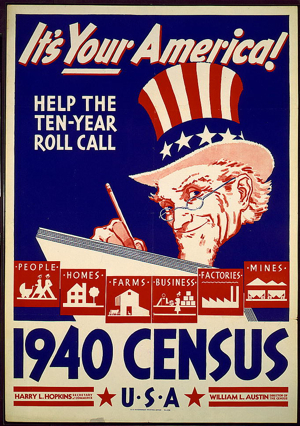
1940-census-posterWhile smart folks over at NARA are thinking about the preservation strategy for digitized 2010 census forms, I got inspired to take a look at what we have preserved from past censuses. In specific, I wanted to look at posters, photos and videos that give us a glimpse into how we encouraged and documented the activity of participation in the past.

There is a dedicated Census History area on the Census website, as well as a section of the 2010 website called The Big Count Archive. While I like the wide range of 2010 Census Posters – the 1940 census poster shown here (thank you Library of Congress) is just so striking.

I also loved the videos I found, especially when I realized that they were all available on YouTube – uploaded by a user named JasonGCensus. I am not clear on the relationship between JasonGCensus and the official U.S. Census Bureau’s Channel (which seems focused on 2010 Census content), but there are some real gems posted there.

For example, in the 1970 Census PSA shown below we learn about the privacy of our census data: “Our separate identities will be lost in the process which is concerned only with what we say, not who said it”. We are shown technology details – complete with old school beeping and blooping computer sounds. (NOTE: this video is also available on Census.gov, but I saw no way to embed that video here – hence my cheer at finding the same video on YouTube)

For the 1960 census, a PSA explains the new FOSDIC technology which removed the need for punch-cards. With the tagline ‘Operation Rollcall, USA’, the ad presents our part in “this enterprise” as cooperation with the enumerators. In the 1980 PSA the tag line is ‘Answer the Census: We’re counting on you!’ and stresses that it is kept confidential and is used to provide services to communities. By the time you get to the 1990 and 2000 PSAs we see more stress on the benefits to communities that fill out the census and less stress on how the census is actually recorded.
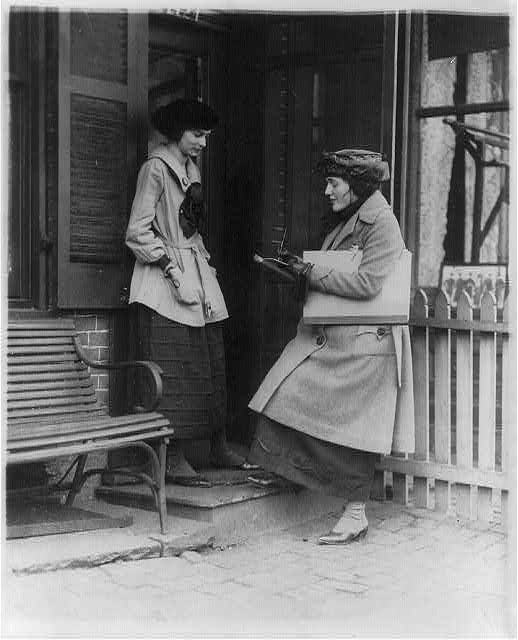
I also found some lovely census images in the Library of Congress Prints and Photographs catalog including the image shown here and:

Exploring the area of Census.gov dedicated to the 2010 census made me wonder what was available online for the 2000 census.

Wayback Machine to the rescue! They have what appears to be a fairly deep crawl of the 2000 Census.gov site dating from March of 2000. For example – the posters section seems to include all the images and PDFs of the originals. I even found functional Quicktime videos in the Video Zone, like this one: How America Knows What America Needs.

The ten year interval makes for a nice way to get a sense of the country from the PR perspective. What did the Census Bureau think was the right way to appeal to the American public? Were we more intrigued by the latest technology or worried about our privacy? Did they need to communicate what the census is used for? Or was it okay to simply express it as an American’s duty? I appreciate the ease with which I can find and share the resources above. Great fun.

And for those of you in the United States, please consider this my personal encouragement to fill out your census forms!

Update: The WashingtonPost has an interesting article about the ‘Snapshot of America’ series of promotional videos for the 2010 census. Definitely an interesting contrast to the videos I reviewed for this post.

Leveraging Google Reader’s Page Change Tracking for Web Page Preservation

The Official Google Reader Blog recently announced a new feature that will let users watch any page for updates. The way this works is that you add individual URLs to your Google Reader account. Just as with regular RSS feeds, when an update is detected – a new entry is added to that subscription.

My thinking is that this could be a really useful tool for archivists charged with preserving websites that change gradually over time, especially those fairly static sites that change infrequently with little or no notice of upcoming changes. If a web page was archived and then added to a dedicated Google Reader account, the archivist could scan their list of watch pages daily or weekly. Changes could then trigger the creation of a fresh snapshot of the site.

I will admit that there have been services out there for a while that do something similar to what Google has just rolled out. I personally have used Dapper.net to take a standard web page and generate an RSS feed based on updates to the page (sound familiar?). One Dapper.net feed that I created and follow is for the news archive page for the International Red Cross and can be found here. What is funny is that now they actually have an official RSS feed for their news that includes exactly what my Dapper.net feed harvested off their news archive page – but when I built that Dapper feed there was no other way for me to watch for those news updates.

There are lots of different tools out there that aim to archive websites. Archive-It is a subscription based service run by Internet Archive that targets institutions and will archive sites on demand or on a regular schedule. Internet Archive also has an open source crawler called Heritrix for those who are comfortable dealing with the code. Other institutions are building their own software to tackle this too. Harvard University has their own Web Archive Collection Service (WAX). The LiWA (Living Web Archives) Project is based in Germany and aims to “extend the current state of the art and develop the next generation of Web content capture, preservation, analysis, and enrichment services to improve fidelity, coherence, and interpretability of web archives.” One could even use something as simple as PDFmyURL.com – an online service that turns any URL into a PDF (be sure to play with the advanced options to make sure you get a wide enough snapshot). I know there are many more possibilities – these just scratch the surface.

What I like about my idea is that it isn’t meant to replace these services but rather work in tandem with them. The Internet Archive does an amazing job crawling and archiving many web pages – but they can’t archive everything and their crawl frequency may not match up with real world updates to a website. This approach certainly wouldn’t scale well for huge websites for which you would need to watch for changes on many pages. I am picturing this technique as being useful for small organizations or individuals who just need to make sure that a county government website makeover or a community organization’s website update doesn’t get lost in the shuffle. I like the idea of finding clever ways to leverage free services and tools to support those who want to protect a particular niche of websites from being lost.

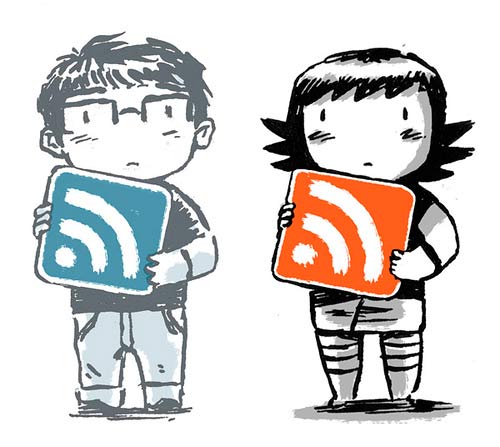
Image Credit: The RSS themed image above is by Matt Forsythe.

Blog Action Day 2009: IEDRO and Climate Change

IEDRO LogoIn honor of Blog Action Day 2009‘s theme of Climate Change, I am revisiting the subject of a post I wrote back in the summer of 2007: International Environmental Data Rescue Organization (IEDRO). This non-profit’s goal is to rescue and digitize at risk weather and climate data from around the world. In the past two years, IEDRO has been hard at work. Their website has gotten a great face-lift, but even more exciting is to see is how much progress they have made!

  • Weather balloon observations received from Lilongwe, Malawi (Africa) from 1968-1991: all the red on these charts represents data rescued by IEDRO — an increase from only 30% of the data available to over 90%.
  • Data rescue statistics from around the world

They do this work for many reasons – to improve understanding of weather patterns to prevent starvation and the spread of disease, to ensure that structures are built to properly withstand likely extremes of weather in the future and to help understand climate change. Since the theme for the day is climate change, I thought I would include a few excerpts from their detailed page on climate change:

“IEDRO’s mandate is to gather as much historic environmental data as possible and provide for its digitization so that researchers, educators and operational professionals can use those data to study climate change and global warming. We believe, as do most scientists, that the greater the amount of data available for study, the greater the accuracy of the final result.

If we do not fully understand the causes of climate change through a lack of detailed historic data evaluation, there is no opportunity for us to understand how humankind can either assist our environment to return to “normal” or at least mitigate its effects. Data is needed from every part of the globe to determine the extent of climate change on regional and local levels as well as globally. Without these data, we continue to guess at its causes in the dark and hope that adverse climate change will simply not happen.”

So, what does this data rescue look like? Take a quick tour through their process – from organizing papers, photographing each page, the transcription of all data and finally upload of this data to NOAA’s central database. These data rescue efforts span the globe and take the dedicated effort of many volunteers along the way. If you would like to volunteer to help, take a look at the IEDRO listings on VolunteerMatch.

DH2009: Digital Lives and Personal Digital Archives

Session Title: Digital Lives: How people create, manipulate and store their personal digital archives
Speaker: Peter Williams, UCL

Digital lives is a joint project of UCL, British Library and University of Bristol

What? We need a better understanding of how people manage digital collections on their laptops, pdas and home computers. This is important due to the transition from paper-based personal collections to digital collections. The hope is to help people manage their digital archives before the content gets to the archives.

How? Talk to people with in-depth narrative interview. Ask people of their very first memories of information technology. When did they first use the computer? Do they have anything from that computer? How did they move the content from that computer? People enjoyed giving this narrative digital history of their lives.

Who? 25 interviewees – both established and emerging people whose works would or might be of interest to repositories of the future.

Findings?

  • They created a detailed flowchart of users’ reported process of document manipulation.
  • Common patterns in use of email showed that people used email across all these platforms and environments. Preserving email is not just a case of saving one account’s messages:
    • work email
    • Gmail/Yahoo
    • mails via Facebook
    • Twitter
  • Documented personal information styles that relate skills dimension to data security dimension.

The one question I caught was from someone who asked if they thought people would stop using folders to organize emails and digital files with the advent of easy search across documents. The speaker answered by mentioning the revelations in the paper Don’t Take My Folders Away!. People like folders.

My Thoughts

This session got me to think again about the SAA2008 session that discussed the challenges that various archivists are facing with hybrid literary collections. Matthew Kirschenbaum also pointed me to MITH’s white paper: Approaches to Managing and Collecting Born-Digital Literary Materials for Scholarly Use.

I am very interested to see how ideas about preserving personal digital records evolve. For example, what happens to the idea of a ‘draft’ in a world that auto-saves and versions documents every few minutes such as Google Documents does?

With born digital photos we run into all sorts of issues. Photos that are simultaneously kept on cameras, hard drives, web based repositories (flickr, smugmug, etc) and off-site backup (like mozy.com). Images are deleted and edited differently across environments as well. A while back I wrote a post considering the impact of digital photography on the idea of photographic negatives as the ‘photographers’ sketchbooks’: Capa’s Found Images and Thoughts on Digital Photographers’ Sketchbooks.

I really liked the approach of this project in that it looked at general patterns of behavior rather than attempting to extrapolate from experiences of archivists with individual collections. This sort of research takes a lot of energy, but I am hopeful that basically creating these general user profiles will lead to best practices for preserving personal digital collections that can be applied easily as needed.

As is the case with all my session summaries from DH2009, please accept my apologies in advance for any cases in which I misquote, overly simplify or miss points altogether in the post above. These sessions move fast and my main goal is to capture the core of the ideas presented and exchanged. Feel free to contact me about corrections to my summary either via comments on this post or via my contact form.

Warner Brothers Archive DVDs: Classic Movies On-Demand

The latest example of a media company finding a way to profit from their archives, Warner Brothers has launched the Warner Brothers Archive. Nestled neatly within the the WBshop.com website, among the TV shows and promotional merchandise, the movies from the archives include everything customers have come to expect from an online shop. We have user reviews, video clips and the ways to share links. You can browse by genre or decade. They are currently holding a vote to see what title should be added to the inventory next.

One of the films available from the archives is the 1975 action feature Doc Savage: The Man of Bronze. Embedded below is a 30 second clip showing Doc Savage entering his “Fortress of Solitude”. They could have made it easier for me to embed this (I had to go figure out how to embed FLV files into this blog post) – but I am happy that they let me embed it at all. If you don’t see a video below, you probably need to install adobe’s shockwave. You can always go watch the clip on the Doc Savage page (click on Video Trailers & Clips).

Each film page carefully notes “This film has been manufactured from the best-quality video master currently available and has not been remastered or restored specifically for this DVD and On Demand release.” and then directs the customer to view the preview clip to evaluate the film’s quality.

The details comes out when we dig into the Warner Archive FAQ. It is here that we learn that the DVDs we can purchase for $19.95 are produced “on-demand”. How are they different from the DVD’s you buy at the store?

DVD’s produced on-demand are similar to, but not quite same as, DVD’s you’d buy at the local video store. DVD movies you buy at the local video outlet are manufactured from a mold via a stamping process whereas on-demand DVDs are “burned”. Each carries information read by the DVD player, but the physical properties of the two are different.

Most DVD players are compatible with both commercial DVD-Video and one or more of the “recordable DVD formats. Our on-demand DVD’s are manufactured using the most widely accepted format, DVD-R.

They also answer this question about copying the DVDs:

Q: I’m trying to make a few extra copies of my DVD, for “safe keeping” and for a surprise present to my mom. When I copied the disc it was un-playable. Why is that? And what can I do about it?

A: This DVD on-demand disc was recorded using CSS encryption. CSS is designed to prevent unauthorized reproduction of the DVD. We’re delighted that you’d like to surprise your mother with the gift of a Warner Bros classic movie. May we suggest she’d like an officially produced and packaged DVD even more? As such we welcome your visit back to the Warner.com classic store at any time.

In addition to being able to purchase DVD-Rs with CSS encryption, many of the archives films permit a download option. Archives movie downloads appear to cost $14.95. The Digital Products FAQ explains the details, but these are the highlights of what comes along with that $5 in savings:

  • Downloads are protected by DRM
  • Downloads only play on MS Windows boxes – no Mac or Linus support
  • You can burn the movie to a CD or DVD, but they “are Digital Rights Management (DRM) protected, so you will only be able to watch the video on the computer or device on which it was originally purchased.”

I give a big thumbs up to Warner Brothers for coming up with a way to leverage their archives. I am less impressed with the non-open format and DRM restrictions they are placing on both the DVD-Rs and downloads. A model that states that a purchased download can be played as often as I want – but requires a specific operating system and only permits play on the same machine from which I made the purchase seems untenable. If I were to buy one of these films, I would spend the extra $5 and get the DVD-R which at least can be played on multiple machines, even if it can never be copied!

Archiving Women in Technology: A Tribute to Ada Lovelace

In celebration of Ada Lovelace Day 2009, I decided to see how many different archival resources I could dig up that document the achievements of women in technology.

My first find has me giving a big hats off to IBM. They have a page dedicated to IBM Women in Technology, but the real fun is in digging through the persona pages listed in the IBM Women in Technology International (WITI) hall of fame. You can watch oral history interviews with women like Frances Allen,  an “expert in the field of optimizing compilers”, or Caroline Kovac, who “oversees the development of cutting-edge information technology at IBM for the life sciences market”.

Beyond IBM’s offerings I ran into a classic challenge – how do you find archival collections specifically about women in technology? A visit to the American Institute of Physic’s archive found me a photo mini-exhibits of of Marie Curie and Maria Goeppert Mayer. A search for “woman scientists” on the Online Archive of California (OAC) found these:

  • Contributions of 20th Century Women to Physics : Records of the UCLA Website 1912-2001: The records include documentation of the original papers in which discoveries were first reported, biographical material, including some photographs, and descriptions vetted by Field Editors.
  • Katherine Esau papers: The Katherine Esau papers represent the entire body of plant anatomy research Esau conducted from 1924 when she began research on curly top virus in sugar beets for the Spreckels Sugar Company to 1991 when she published her last article. The collection includes correspondence, research notes, photographs, biographical material, objects, and printed matter.

The challenge in finding collections like these is that you need to hunt through each institutions collections. Looking for the records of a specific individual is easiest, but finding collections in general relating to women and technology is a lot harder. The first collection listed above from OAC has the subject “Women in physics –Archival resources” assigned to it, which seems very useful until you realize that it is the only collection assigned this subject in all of OAC.

I want to leave you with the thought that preserving the notes and writing of young innovative women who are passionate about technology is what will let future generations read their words just as young women can read and be inspired by the words of Ada Lovelace today.

Want to read some of Ada’s writing? Get your hands on a copy of Ada, the Enchantress of Numbers: A Selection from the Letters of Lord Byron’s Daughter and Her Description of the First Computer. Want to read something a bit more contemporary that is halfway between memoir and eclectic visit to the depths of software programming, then try Ellen Ullman’s  Close to the Machine: Technophilia and Its Discontents.

Technorati Tag:

Library of Congress Inauguration 2009 Audio and Video Project

President Taft and his wife lead the inaugural parade, 1909 (Library of Congress: Prints and Photographs Division)

Amazing how much can change in 100 years. In March of 1909, the stereograph above shows African Americans driving the carriage that carried President and Mrs. Taft from the Capitol to lead the inauguration parade to the White House. On January 20th of 2009, Barack Obama will be the guest of honor. The American Folklife Center‘s Inauguration 2009 Sermons and Orations Project aims to collect recordings, transcriptions and ephemera of speeches addressing the significance of the inauguration of Barack Obama as the first African American president.

It is expected that such sermons and orations will be delivered at churches, synagogues, mosques and other places of worship, as well as before humanist congregations and other secular gatherings. The American Folklife Center is seeking as wide a representation of orations as possible.

The Inauguration 2009 project is modeled after prior Library of Congress collection projects. Two great examples of these earlier projects are:

If you want to organize a local recording, here are the basics:

  • Recording must be made between Friday, January 16th and Sunday, January 25th, 2009 and postmarked by February 27, 2009.
  • The project website provides the required Participant Release Form for speakers, photographers and those making the recordings.
  • The project is accepting audio recordings, video recordings, and written texts of sermons (see their detailed specifications page for information about accepted formats). Also accepted will be accompanying ephemera such as photographs and printed programs.
  • If you are sending materials to the Library of Congress, they encourage you to use FedEx, UPS, or DHL because of the danger of damage due to security screening done to USPS packages.

If you want to get a taste of  other recordings held by the Library of Congress, you can spend some time browsing the fantastic list of Collections in the Archive of Folk Culture Containing Sermons and Orations provided on the project site.

So spread the word. Honor the Library of Congress’s goals by helping this collection include the perspectives of as many communities as possible. Your local religious or secular leader could have their point of view preserved as part of a snapshot of our country’s response to the Inauguration of 2009. While they hope for audio and video recordings, they are also accepting text transcriptions – so this doesn’t have to be a high tech endeavor. That said, perhaps this is the inspiration you have been waiting for to learn how to make an audio or video recording!

Google Tackles Magazine Archives

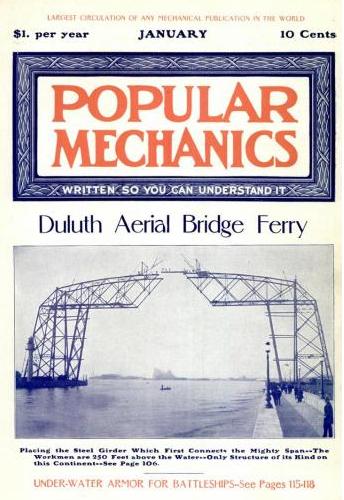
Google Book Search: Popular Mechanics Jan 1905 Cover ImageAs has been reported around the web today, Google is now digitizing and adding magazines to Google Book Search. This follows on the tails of the recent Google Life Photo archive announcement.

I took a look around to see what I could see. I was intrigued by the fact that I couldn’t see a list of all the magazines in their collection. So I went after the information the hard way and kept reloading the Google Book Search home page until I didn’t see any new titles displayed in their highlighted magazine section. This is what I came up with, roughly grouped by general topic groupings.

Science and technology:

Lifestyle and city themed:

African American:

  • Ebony Jr!: May 1973 through October 1985
  • Jet: November 1961 through October 2008
  • Black Digest: Named ‘Negro Digest’ from November 1961 through April 1970, then Black Digest from May 1970 through April 1976.

Health, nutrition and organic:

  • Women’s Health and Men’s Health: January 2006 through present. I found it very amusing to be able to scan the covers of all the issues so easily – true for all of these magazines of course, but funny to see cover after cover of almost identically clad men and women exercising.
  • Prevention: January 2006 through the present
  • Better Nutrition: January 1999 through December 2004
  • Organic Gardening: November 2005 to the present
  • Vegetarian Times: March1981 through November 2004

Sports and the outdoors:

They of course promise more magazines on the way, so if you are reading this long after mid December 2008  I would assume there are more magazines and more issues available now. I hope that they make it easier to browse just magazines. Once they have a broader array of titles – how neat would it be to build a virtual news stand for a specific week in history? Shouldn’t be hard – they have all the metadata and cover images they need.

I love being able to read the magazine – advertising and all. They display the covers in batches by decade or 5 year period depending on the number of issues. I also like the Google map provided on each magazines ‘about’ page that shows ‘Places mentioned in this magazine’ and easily links you directly to the article that mentions the location marked on the map.

I think it is interesting that Google went with more of a PDF single scrolling model rather than an interface that mimics turning pages. In many issues (maybe all?) they have hot-linked the table of contents so that you can scroll down to that section instantly. You can also search within the magazine, though from my short experiments it seems that only the articles are text indexed and the advertisements are not.

Google’s current model for search is to return results for magazines mixed in with books in Google Book Search results – but they do let you limit your results to only magazines from their Advanced Search page within Google Book Search. See these results for a quick search on sunscreen in magazines.

Overall I mark this as a really nice step forward in access to old magazines. As with many visualizations, seeing the about page for any of these magazines made me ask myself new questions.  It will be interesting to see how many magazines sign on to be included and how the interface evolves.

To read more about Google’s foray into magazine digitization and search take a look at:

For a really nice analysis of the information that Google provides on the magazine pages see Search Engine Land’s Google Book Search Puts Magazines Online.