Menu Close

Category: digital preservation

MARAC Spring 2012: Preservation of Digital Materials (Session S1)

602px-Zip-100a-transparent.png

The official title for this session is “Preservation and Conservation of Captured and Born Digital Materials” and it was divided into three presentations with introduction and question moderation by Jordon Steele, University Archivist at Johns Hopkins University.

Digital Curation, Understanding the lifecycle of born digital items

Isaiah Beard, Digital Data Curator from Rutgers, started out with the question ‘What Is Digital Curation?’. He showed a great Dilbert cartoon on digital media curation and the set of six photos showing all different perspectives on what digital curation really is (a la the ‘what I really do’ meme – here is one for librarians).

“The curation, preservation, maintenance, collection and archiving of digital assets.” — Digital Curation Center.

What does a Digital Curator do?

Aquire digital assets:

  • digitized analog sources
  • assets that were born digital, no physical analog exists

Certify content integrity:

  • workflow and standards and best practices
  • train staff on handling of the assets
  • perform quality assurance

Certify trustworthiness of the architecture:

  • vet codecs and container/file formats – must make sure that we are comfortable with the technology, hardware and formats
  • active role in the storage decisions
  • technical metadata, audit trails and chain of custody

Digital assets are much easier to destroy than physical objects. In contrast with physical objects which can be stored, left behind, forgotten and ‘rediscovered’, digital objects are more fragile and easier to destroy. Just one keystroke or application error can destroy digital materials. Casual collectors typically delete what they don’t want with no sense of a need to retain the content. People need to be made aware that the content might be important long term.

Digital assets are dependent on file formats and hardware/software platforms. More and more people are capturing content on mobile devices and uploading it to the web. We need to be aware of the underlying structure. File formats are proliferating and growing over time. Sound files come in 27 common file formats and 90 common codecs. Moving images files come in 58 common containers/codecs and come with audio tracks in the 27 file formats/90 common codecs.

Digital assets are vulnerable to format obsolescence — examples include Wordperect (1979), Lotus 1-2-3 (1978) and Dbase (1978). We need to find ways to migrate from the old format to something researchers can use.

Physical format obsolescence is a danger — examples include tapes, floppy disk, zip disk, IBM demi-disk and video floppy. There is a threat of a ‘digital dark age’. The cloud is replacing some of this pain – but replacing it with a different challenge. People don’t have a sense of where their content is in the physical world.

Research data is the bleeding edge. Datasets come in lots of different flavors. Lots of new and special file formats relating specifically to scientific data gathering and reporting… long list including things like GRIB (for meterological data), SUR (MRI data), DWG (for CAD data), SPSS (for statistical data from the social sciences) and on and on. You need to become a specialist in each new project on how to manage the research data to keep it viable.

There are ways to mitigate the challenges through predictable use cases and rigid standards. Most standard file types are known quantities. There is a built-in familiarity.

File format support: Isaiah showed a grid with one axis Open vs Closed and the other Free vs Proprietary. Expensive proprietary software that does the job so well that it is the best practice and assumed format for use can be a challenge – but it is hard to shift people from using these types of solutions.

Digital Curation Lifecycle

  • Objects are evaluated, preserve, maintained, verified and re-evaluated
  • iterative – the cycle doesn’t end with doing it just once
  • Good exercise for both known and unknown formats

The diagram from the slide shows layers – looks like a diagram of the geologic layers of the earth.

Steps:

  • data is the center of the universe
  • plan, describe, evaluate, learn meanings.
  • ingest, preserve curate
  • continually iterate

Controlled chaos! Evaluate the collection and needs of the digital assets. Using preservation grade tools to originate assets. Take stock of the software, systems and recording apparatus . Describe in the tech metadata so we know how it originated. We need to pick our battles and need to use de facto industry standards. Sometimes those standards drive us to choices we wouldn’t pick on our own. Example – final cut pro – even though it is mac and proprietary.

Establish a format guide and handling procedures. Evaluate the veracity and longevity of the data format. Document and share our findings. Help others keep from needing to reinvent the wheel.

Determine method of access: How are users expected to access and view these digital items? Software/hardware required? View online – plug-in required? third party software?

Primary guidelines: Do no harm to the digital assets.

  • preservation masters, derivatives as needed
  • content modification must be done with extreme care
  • any changes must be traceable, audit-able, reversible.

Prepare for the inevitable: more format migrations. Re-assess the formats.. migrate to new formats when the old is obsolete. Maintain accessibility while ensuring data integrity.

At Rutgers they have the RUcore Community Repository which is open source, and based on FEDORA. It is dedicated to the digital preservation of multiple digital asset types and contains 26,238 digital assets (as of April 2012). Includes audio, video, still images, documents and research data. Mix of digital surrogates and born digital assets.

Publicly available digital object standards are available for all traditional asset types. Define baseline quality requirements for ‘reservation grade’ files. Periodically reviewed and revised as tech evolves. See Rutgers’ Page2Pixel Digital Curation standards.

They use a team approach as they need to triage new asset types. Do analysis and assessment. Apply holistic data models and the preservation lifecycle and continue to publish and share what they have done. Openness is paramount and key to the entire effort.

More resources:

The Archivist’s Dilemma: Access to collections in the digital era

Next, Tim Pyatt from Penn State spoke about ‘The Archivist’s Dilemma’ — starting with examples of how things are being done at Penn State, but then moving on to show examples of other work being done.

There are lots of different ways of putting content online. Penn State’s digital collections are published online via ContentDM, Flickr, social media and Penn State IR Tools. The University Faculty Senate put up things on their own. Internet Archive. Custom built platform. Need to think about how the researcher is going to approach this content.

With analog collections that have portions digitized they describe both, but then includes a link to digital collection. These link through to a description of the digital collection.. and then links to CONTENTdm for the collection itself.

Examples from Penn State:

  • A Google search for College of Agricultural Science Publications leads users to a complimentary/competing site with no link back to the catalog nor any descriptive/contextual information.
  • Next, we were shown the finding aid for William W. Scranton Papers from Penn State. They also have images up on Flickr ‘William W. Scranton Papers’ . Flickr provides easy access, but acts as another content silo. It is crucial to have metadata in the header of the file to help people find their way back to the originating source. Google Analytics showed them that 8x more often content is seen in Flickr than CONTENTdm.
  • The Judy Chicago Art Education Collection is a hybrid collection. The finding aid has a link to the curriculum site. There is a separate site for the Judy Chicago Art Education Collectiion more focused on providing access to her education materials.
  • The University Curriculum Archive is a hybrid collection with a combination of digitized old course proposals, while the past 5 years of curriculum have been born digital. They worked with IT to build a database to commingle the digitized & born digital files. It was custom built and not integrated into other systems – but at least everything is in one place.

Examples of what is being done at other institutions:

PennState is loading up a Hydra repository for their next wave!

Born-Digital @UVa: Born Digital Material in Special Collections

Gretchen Gueguen, UVA

Presentation slides available for download.

AIMS (An Inter-Institutional Model for Stewardship) born digital collections: a 2 year project to create a framework for the stewardship of born-digital archival records in collecting repositories. Funded by Andrew W. Mellon Foundation with partners: UVA, Stanford, University of Hull, and Yale. A white paper on AIMS was published in January 2012.

Parts of the framework: collection development, accessioning, arrangement & description, discovery & access are all covered in the whitepaper – including outcomes, decision points and tasks. The framework can be used to develop an institutionally specific workflow. Gretchen showed an example objective ‘transfer records and gain administrative control’ and walked through outcome, decision points and tasks.

Back at UVA, their post-AIMS strategizing is focusing on collection development and accessioning.

In the future, they need to work on Agreements: copyright, access & ownership policies and procedures. People don’t have the copyright for a lot of the content that they are trying to donate. This makes it harder, especially when you are trying to put content online. You need to define exactly what is being donated. With born digital content, content can be donated multiple places. Which one is the institution of record? Are multiple teams working on the same content in a redundant effort?

Need to create a feasibility evaluation to determine systematically if something is it worth collecting. Should include:

  • file formats
  • hardware/software needs
  • scope
  • normalization/migration needed?
  • private/sensitive information
  • third-party/copyrighted information?
  • physical needs for transfer (network, storage space, etc.)

If you decide it is feasible to collect, how do you accomplish the transfer with uncorrupted data, support files (like fonts, software, databases) and ‘enhanced curation’? You may need a ‘write blocker’ to make sure you don’t change the content just by accessing the disk. You may want to document how the user interacted with their computer and software. Digital material is very interactive – you need to have an understanding of how the user interacted with it. Might include screen shots.

Next she showed their accessioning workflow:

  • take the files
  • create a disk image – bit for bit copy – makes the preservation master
  • move that from the donor’s computer to their secure network with all the good digital curation stuff
  • extract technical metadata
  • remove duplicates
  • may not take stuff with PPI
  • triage if more processing is necessary

Be ready for surprises – lots of things that don’t fit the process:

  • 8″ floppy disk
  • badly damaged CD
  • disk no longer functions – afraid to throw away in case of miracle
  • hard drive from 1999
  • mini disks

These have no special notation taken of them in the accessioning.

Priorities with this challenging material:

  • get the data of aging media
  • put it someplace safe and findable
  • inventory
  • triage
  • transfer

Forensic Workstation:

  • FRED = forensic recovery of evidence device – built in ultra bay writeblocker with usb, firewire, sata, csi, ide ad molex for power- external 5.25 floppy drive, cd/dvd/blu-ray, microcard reader, LTO tape drive, external 3.5″ drive + external hard drive for additional storage.
  • toolbox
  • big screen

FRED’s FDK software shows you overview of what is there, recognizes 1,000s of file format, deleted data, finds duplicates, and can identify PPI. It is very useful for description and for selecting what to accession – but it costs a lot and requires an annual license.

BitCurrator is making an open source version. From their website: “The BitCurator Project is an effort to build, test, and analyze systems and software for incorporating digital forensics methods into the workflows of a variety of collecting institutions.”

Archivematica:

  • creates PREMIS record recording what activities are done – preservation metadata standard
  • creates derivative records – migration!!
  • yields a preservation master + access copies to be provided in the reading room

Hoping for Hypatia like thing in the future

Final words: Embrace your inner nerd! Experiment – you have nothing to loose. If you do nothing you will lose the records anyway.

Questions and Answers

QUESTION: How do you convince your administration that this needs to be a priority?

ANSWER:

Isaiah: Find examples of other institutions that are doing this. Show them that our history is at risk moving forward. A digital dark age is coming if we don’t do something now. It is really important that we show people “this is what we need to preserve”

Tim: Figure out who your local partners are. Who else has a vested interest in this content? IT was happy at Penn State that they didn’t need to keep everything – happy that there is an appraisal process.. and that they are preserving content so it doesn’t need to be kept by everyone. I am one of the authors of the upcoming report on born digital records — end of the summer: Association of Research Libraries – Managing Electronic Records – Spec Kit

Gretchen: Numbers are really useful. Sometimes you don’t think about it, but it is a good practice to count the size of what you created. How much time would it take to recreate it if you lost it. How many people have used the content? Get some usage stats. Who is your rival and what are their statistics?

Jordon: Point to others who you want to keep up with

QUESTION: would the panelists like to share experiences with preserving dynamic digital objects like databases?

ANSWER:

Isaiah: We don’t want to embarrass people. We get so many different formats. It is a trial and error thing. You need to say gently that there is a better way to do this. Sad example – burned DVDs from tapes in 2004.. got them in 2007. The DVDs were not verified. They were not stored well – stored in a hot warehouse. Opened the boxes and found unreadable DVDs – delaminating.

Tim: From my Duke Days, we had a number of faculty data sets in proprietary formats. We would do checksums on them, wrap them up and put them in the repository. They are there.. but who knows if anyone will be able to read them later. Same as with paper – preserve them now in good acid-free papers.

Gretchen: My 19 yo student held up a zip disk and said “Due to my extreme youth I don’t know what this is!” (And now you know why there is a photo of a zip disk at the top of this post – your reward for reading all the way to the end!)

Image Credit: ‘100MB Zip Disc for Iomega Zip, Fujifilm/IBM-branded‘ taken by Shizhao

As is the case with all my session summaries from MARAC, please accept my apologies in advance for any cases in which I misquote, overly simplify or miss points altogether in the post above. These sessions move fast and my main goal is to capture the core of the ideas presented and exchanged. Feel free to contact me about corrections to my summary either via comments on this post or via my contact form.
SAA2008: Preservation and Experimentation with Analog/Digital Hybrid Literary Collections (Session 203)

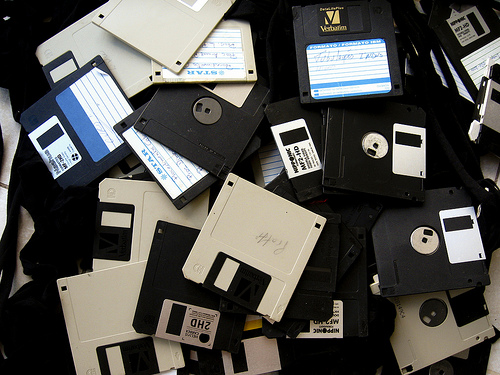
floppy disks

The official title of Session 203 was Getting Our Hands Dirty (and Liking It): Case Studies in Archiving Digital Manuscripts. The session chair, Catherine Stollar Peters from the New York State Archives and Records Administration, opened the session with a high level discussion of the “Theoretical Foundations of Archiving Digital Manuscripts”. The focus of this panel was preserving hybrid collections of born digital and paper based literary records. The goal was to review new ways to apply archival techniques to digital records. The presenters were all archivists without IT backgrounds who are building on others work … and experimenting. She also mentioned that this also impacts researchers, historians, and journalists.For each of the presenters, I have listed below the top challenges and recommendations. If you attended the sessions, you can skip forward to my thoughts.

Norman Mailer’s Electronic Records

Challenges & Questions:

  • 3 laptops and nearly 400 disks of correspondence
  • While the letters might have been dictated or drafted by Mailer, all the typing, organization and revisions done on the computer were done by his assistant Judith McNally. This brings into question issues of who should be identified as the record creator. How do they represent the interaction between Mailer & McNally? Who is the creator? Co-Creators?
  • All the laptops and disks were held by Judith McNally. When she died all of her possessions were seized by county officials. All the disks from her apartment were eventually recovered over a year later – but it causes issues of provenance. There is no way to know who might have viewed/changed the records.

Revelations and Recommendations:

What is accessioning and processing when dealing with electronic records? What needs to be done?

  • gain custody
  • gather information about creator’s (or creators’) use of the electronic records. In March 2007 they interviewed Mailer to understand the process of how they worked together. They learned that the computers were entirely McNally’s domain.
  • number disks, computers (given letters), other digital media
  • create disk catalog – to reflect physical information of the disk. Include color of ink.. underlining..etc. At this point the disk has never been put into a computer. This captures visual & spacial information
  • gather this info from each disk: file types, directory structure & file names

The ideal for future collections of this type is archivist involvement earlier – the earlier the better.

Papers of Peter Ganick

  • Speaker: Melissa Watterworth
  • Featured Collection: Papers of Writer and Small Press Publisher Peter Ganick, Thomas J Dodd Research Center, University of Connecticut

Challenges & Questions:

  • What are the primary sources of our modern world?
  • How do we acquire and preserve born digital records as trusted custodians?
  • How do we preserve participatory media – maybe we can learn from those who work on performance art?
  • How do we incrementally build our collections of electronic records? Should we be preserving the tools?
  • Timing of acquisition: How actively should we be pursuing personal archives? How can we build trust with creators and get them to understand the challenges?
  • Personal papers are very contextual – order matters. Does this hold true for born digital personal archives? What does the networking aspect of electronic records mean – how does it impact the idea of order?
  • First attempt to accession one of Peter Ganick’s laptops and the archivist found nothing she could identify as files.. she found fragments of text – hypertext work and lots of files that had questionable provenance (downloaded from a mailing list? his creations?). She had to sit down next to him and learn about how he worked.
  • He didn’t understand at first what her challenges were. He could get his head around the idea of metadata and issues of authenticity. He had trouble understanding what she was trying to collect.
  • How do we arrange and keep context in an online environment?
  • Biggest tech challenge: are we holding on for too long to ideas of original order and context?
  • Is there a greater challenge in collecting earlier in the cycle? What if the creator puts restrictions on groupings or chooses to withdraw them?
  • Do we want to create contracts with donors? Is that practical?

Revelations and Recommendations:

  • Collect materials that had high value as born digital works but were at a high risk of loss.
  • Build infrastructure to support preservation of born digital records.
  • Go back to the record creator to learn more about his creative process. They used to acquire records from Ganick every few years.. that wasn’t frequent enough. He was changing the tools he used and how he worked very quickly. She made sure to communicate that the past 30 years of policy wasn’t going to work anymore. It was going to have to evolve.
  • Created a ‘submission agreement’ about what kinds of records should be sent to the archive. He submitted them in groupings that made sense to him. She reviewed the records to make sure she understood what she was getting.
  • Considering using PDFa to capture snapshot of virtual texts.
  • Looked to model of ‘self archiving’ – common in the world of professors to do ongoing accruals.
  • What about ’embedded archivists’? There is a history of this in the performing arts and NGOs and it might be happening more and more.

George Whitmore Papers

Challenges & Questions:

  • How do you establish identity in a way that is complete and uncorrupted? How do you know it is authentic? How do you make an authentic copy? Are these requirements as unreasonable and unachievable?

Revelations and Recommendations:

  • Refresh and replicate files on a regular schedule.
  • They have had good success using Quick View Plus to enable access to many common file formats. On the downside, it doesn’t support everything and since it is proprietary software there are no long term guarantees.
  • In some cases they had to send CP/M files to a 3rd party to have them converted into WordStar and have the ascii normalized.
  • Varied acquisition notes.. and accession records.. loan form with the 3rd party who did the conversion that summarized the request.. they did NOT provide information about what software was used to convert from CP/M to DOS. This would be good information to capture in the future.
  • Proposed an expansion of the standards to include how electronic records were migrated in the <processinfo> processing notes.

Questions & Answers

Question: As part of a writers community, what do we tell people who want to know what they can DO about their records. They want technical information.. they want to know what to keep. Current writers are aware they are creating their legacy.

Answer: Michael: The single best resource is the interPARES 2 Creator Guidelines. The Beineke has adapted them to distrubute to authors. Melissa: Go back to your collection development policies and make sure to include functions you are trying to document (like process.. distribution networks). Also communities of practice (acid free bits) are talking about formats and guidelines like that Gabriela: People often want to address ‘value’. Right now we don’t know how to evaluate the value of electronic drafts – it is up to authors.

Question: Cal Lee: Not a question so much as an idea: the world of digital forensics and security and the ‘order of volatility’ dictate that everyone should always be making a full disk copy bit by bit before doing anything else.

Comment: Comment on digital forensic tools – there is lots of historical and editing history of documents in the software… also delete files are still there.

Question: Have you seen examples of materials that are coming into the archive where the digital materials are working drafts for a final paper version? This is in contrast to others are electronic experiments.

Answer: Yes, they do think about this. It can effect arrangement and how the records are described. The formats also impact how things are preserved.

Question: Access issues? Are you letting people link to them from the finding aids? How are the documents authenticity protected.

Answer: DSpace gives you a new version anytime you want it (the original bitstream) .. lots of cross linking supports people finding things from more than one path. In some cases documents (even electronic) can only be accessed from within the on site reading room.

Question: What is your relationship is like with your IT folks?

Answer: Gabriela: Our staff has been very helpful. We use ‘legacy’ machines to access our content. They build us computers. They are also not archivists, so there is a little divide about priorities and the kind of information that I am interested in.. but it has been a very productive conversation.

Question: (For Melissa) Why didn’t you accept Peter’s email (Melissa had said they refused a submission of email from Peter because it didn’t have research value)?

Answer: The emails that included personal medical emails were rejected. The agreement with Peter didn’t include an option to selectively accept (or weed) what was given.

Question: In terms of gathering information from the creators.. do you recommend a formal/recorded interview? Or a more informal arrangement in which you can contact them anytime on an ongoing basis?

Answer: Melissa: We do have more formal methods – ‘documentation study’ style approaches. We might do literature reviews.. Ultimately the submission agreement is the most formal document we have. Gabriela: It depends on what the author is open to.. formal documentation is best.. but if they aren’t willing to be recorded, then you take what you can get!

My Thoughts

I am very curious to see how best practices evolve in this arena. I wonder how stories written using something like Google Documents, which auto-saves and preserves all versions for future examination, will impact how scholars choose to evaluate the evolution of documents. There have already been interesting examinations of the evolution of collaborative documents. Consider this visual overview of the updates to the Wikipedia entry for Sarah Palin created by Dan Cohen and discussed in his blog post Sarah Palin, Crowdsourced. Another great example of this type of visual experience of a document being modified was linked to in the comments of that post: Heavy Metal Umlaut: The Movie. If you haven’t seen this before – take a few minutes to click through and watch the screencast which actually lets you watch as a Wikipedia page is modified over time.

While I can imagine that there will be many things to sort out if we try to start keeping these incredibly frequent snapshot save logs (disk space? quantity of versions? authenticity? author preferences to protect the unpolished versions of their work?) – I still think that being able to watch the creative process this way will still be valuable in some situations. I also believe that over time new tools will be created to automate the generation of document evolution visualization and movies (like the two I link to above) that make it easy for researchers to harness this sort of information.

Perhaps there will be ways for archivists to keep only certain parts of the auto-save versioning. I can imagine an author who does not want anyone to see early drafts of their writing (as is apparently also the case with architects and early drafts of their designs) – but who might be willing for the frequency of updates to be stored. This would let researchers at least understand the rhythm of the writing – if not the low level details of what was being changed.

I love the photo I found for the top of this post. I admit to still having stacks of 3 1/2 floppy disks. I have email from the early days of BITNET.  I have poems, unfinished stories, old resumes and SQL scripts. For the moment my disks live in a box on the shelf labeled ‘Old Media’. Lucky me – I at least still have a computer with a floppy drive that can read them!

Image Credit: oh messy disks by Blude via flickr.

As is the case with all my session summaries from SAA2008, please accept my apologies in advance for any cases in which I misquote, overly simplify or miss points altogether in the post above. These sessions move fast and my main goal is to capture the core of the ideas presented and exchanged. Feel free to contact me about corrections to my summary either via comments on this post or via my contact form.
Digital Preservation via Emulation – Dioscuri and the Prevention of Digital Black Holes

dioscuri.JPGAvailable Online posted about the open source emulator project Dioscuri back in late September. In the course of researching Thoughts on Digital Preservation, Validation and Community I learned a bit about the Microsoft Virtual PC software. Virtual PC permits users to run multiple operating systems on the same physical computer and can therefore facilitate access to old software that won’t run on your current operating system. That emulator approach pales in comparison with what the folks over at Dioscuri are planning and building.

On the Digital Preservation page of the Dioscuri website I found this paragraph on their goals:

To prevent a digital black hole, the Koninklijke Bibliotheek (KB), National Library of the Netherlands, and the Nationaal Archief of the Netherlands started a joint project to research and develop a solution. Both institutions have a large amount of traditional documents and are very familiar with preservation over the long term. However, the amount of digital material (publications, archival records, etc.) is increasing with a rapid pace. To manage them is already a challenge. But as cultural heritage organisations, more has to be done to keep those documents safe for hundreds of years at least.

They are nothing if not ambitious… they go on to state:

Although many people recognise the importance of having a digital preservation strategy based on emulation, it has never been taken into practice. Of course, many emulators already exist and showed the usefulness and advantages it offer. But none of them have been designed to be digital preservation proof. For this reason the National Library and Nationaal Archief of the Netherlands started a joint project on emulation.

The aim of the emulation project is to develop a new preservation strategy based on emulation.

Dioscuri is part of Planets (Preservation and Long-term Access via NETworked Services) – run by the Planets consortium and coordinated by the British Library. The Dioscuri team has created an open source emulator that can be ported to any hardware that can run a Java Virtual Machine (JVM). Individual hardware components are implemented via separate modules. These modules should make it possible to mimic many different hardware configurations without creating separate programs for every possible combination.

You can get a taste of the big thinking that is going into this work by reviewing the program overview and slide presentations from the first Emulation Expert Meeting (EEM) on digital preservation that took place on October 20th, 2006.

In the presentation given by Geoffrey Brown from Indiana University titled Virtualizing the CIC Floppy Disk Project: An Experiment in Preservation Using Emulation I found the following simple answer to the question ‘Why not just migrate?’:

  • Loss of information — e.g. word edits

  • Loss of fidelity — e.g. WordPerfect to Word isn’t very good

  • Loss of authenticity — users of migrated document need access to original to verify authenticity

  • Not always possible — closed proprietary formats

  • Not always feasible — costs may be too high

  • Emulation may necessary to enable migration

After reading through Emulation at the German National Library, presented by Tobias Steinke, I found my way to the kopal website. With their great tagline ‘Data into the future’, they state their goal is “…to develop a technological and organizational solution to ensure the long-term availability of electronic publications.” The real gem for me on that site is what they call the kopal demonstrator. This is a well thought out Flash application that explains the kopal project’s ‘procedures for archiving and accessing materials’ within the OAIS Reference Model framework. But it is more than that – if you are looking for a great way to get your (or someone else’s) head around digital archiving, software and related processes – definitely take a look. They even include a full Glossary.

I liked what I saw in Defining a preservation policy for a multimedia and software heritage collection, a pragmatic attempt from the Bibliothèque nationale de France, a presentation by Grégory Miura, but felt like I was missing some of the guts by just looking at the slides. I was pleased to discover what appears to be a related paper on the same topic presented at IFLA 2006 in Seoul titled: Pushing the boundaries of traditional heritage policy: Maintaining long-term access to multimedia content by introducing emulation and contextualization instead of accepting inevitable loss . Hurrah for NOT ‘accepting inevitable loss’.

Vincent Joguin’s presentation, Emulating emulators for long-term digital objects preservation: the need for a universal machine, discussed a virtual machine project named Olonys. If I understood the slides correctly, the idea behind Olonys is to create a “portable and efficient virtual processor”. This would provide an environment in which to run programs such as emulators, but isolate the programs running within it from the disparities between the original hardware and the actual current hardware. Another benefit to this approach is that only the virtual processor need be ported to new platforms rather than each individual program or emulator.

Hilde van Wijngaarden presented an Introduction to Planets at EEM. I also found another introductory level presentation that was given by Jeffrey van der Hoeven at wePreserve in September of 2007 titled Dioscuri: emulation for digital preservation.

The wePreserve site is a gold mine for presentations on these topics. They bill themselves as “the window on the synergistic activities of DigitalPreservationEurope (DPE), Cultural, Artistic and Scientific knowledge for Preservation, Access and Retrieval (CASPAR), and Preservation and Long-term Access through NETworked Services (PLANETS).” If you have time and curiosity on the subject of digital preservation, take a glance down their home page and click through to view some of the presentations.

On the site of The International Journal of Digital Curation there is a nice ten page paper that explains the most recent results of the Dioscuri project. Emulation for Digital Preservation in Practice: The Results was published in December 2007. I like being able to see slides from presentations (as linked to above), but without the notes or audio to go with them I am often left staring at really nice diagrams wondering what the author’s main point was. The paper is thorough and provides lots of great links to other reading, background and related projects.

There is a lot to dig into here. It is enough to make me wish I had a month (maybe a year?) to spend just following up on this topic alone. I found my struggle to interpret many of the Power Point slide decks that have no notes or audio very ironic. Here I was hunting for information about the preservation of born digital records and I kept finding that the records of the research provided didn’t give me the full picture. With no context beyond the text and images on the slides themselves, I was left to my own interpretation of their intended message. While I know that these presentations are not meant to be the official records of this research, I think that the effort obviously put into collecting and posting them makes it clear that others are as anxious as I to see this information.

The best digital preservation model in the world will only preserve what we choose to save. I know the famous claim on the web is that ‘content is king’ – but I would hazard to suggest that in the cultural heritage community ‘context is king’.

What does this have to do with Dioscuri and emulators? Just that as we solve the technical problems related to preservation and access, I believe that we will circle back around to realize that digital records need the same careful attention to appraisal, selection and preservation of context as ‘traditional’ records. I would like to believe that the huge hurdles we now face on the technical and process side of things will fade over time due to the immense efforts of dedicated and brilliant individuals. The next big hurdle is the same old hurdle – making sure the records we fight to preserve have enough context that they will mean anything to those in the future. We could end up with just as severe a ‘digital black hole’ due to poorly selected or poorly documented records as we could due to records that are trapped in a format we can no longer access. We need both sides of the coin to succeed in digital preservation.

Did I mention the part about ‘Hurray for open source emulator projects with ambitious goals for digital preservation’? Right. I just wanted to be clear about that.

Image Credit: The image included at the top of this post was taken from a screen shot of Dioscuri itself, the original version of which may be seen here.

Preserving Virtual Worlds – TinyMUD to SecondLife

A recent press release from the Library of Congress, Digital Preservation Program Makes Awards to Preserve American Creative Works, describes the newly funded project aimed at the preservation of ‘virtual worlds’:

The Preserving Virtual Worlds project will explore methods for preserving digital games and interactive fiction. Major activities will include developing basic standards for metadata and content representation and conducting a series of archiving case studies for early video games, electronic literature and Second Life, an interactive multiplayer game. Second Life content participants include Life to the Second Power, Democracy Island and the International Spaceflight Museum. Partners: University of Maryland, Stanford University, Rochester Institute of Technology and Linden Lab.

This has gotten a fair amount of coverage from the gaming and humanities sides of the world, but I learned about it via Professor Matthew Kirschenbaum‘s blog post Just Funded: Preserving Virtual Worlds.

The How They Got Game 2 post Library of Congress announces grants for preservation of digital games gives a more in depth summary of the Preserving Virtual Worlds project goals:

The main goal of the project is to help develop generalizable mechanisms and methods for preserving digital games and interactive fiction, and to begin to test these mechanism through the archiving of selected test cases. Key deliverables include the development of metadata schema and wrapper recommendations, and the long-term curation of archived cases.

I take this all a bit more personally than most might. I was a frequent denizen of an online virtual world known as TinyMUD (now usually referred to as TinyMUD Classic). TinyMUD was a text based, online, multi-player game that existed for seven months beginning in August of 1989. In practice it was sort of a cross between a chat room and a text based adventure. The players could build new parts of the MUD as they went – in many ways it was an early example of crowdsourcing. There was a passionate core of players who were constantly building new areas for others to explore and experience – not unlike what is currently the case in SecondLife. These types of text based games still exist – see MudMagic for listings.

Apparently August 20, 2007 will be TinyMUD’s 18th Annual Brigadoon Day. It will be celebrated by putting TinyMUD classic online for access. The page includes careful notes about finding and using a MUD Client to access TinyMUD. The existence of an ongoing MUD community of users has kept software like this alive and available almost 20 years later.

With projects like Preserving Virtual Worlds getting grants and gaining momentum it seems more plausible with each passing day that 18 years from now, parts of 2007’s SecondLife will still be available for people to experience. I am thankful to know that a copy of the TinyMUD world I helped build is still out there. I am even more thankful to know that the technology still exists to permit users to access it even if it is only once a year.

Update: 20th Anniversary of TinyMud Brigadoon day is set for Thursday, August 20, 2009

Thoughts on Digital Preservation, Validation and Community

The preservation of digital records is on the mind of the average person more with each passing day. Consider the video below from the recent BBC article Warning of data ticking time bomb.


Microsoft UK Managing Director Gordon Frazer running Windows 3.1 on a Vista PC
(Watch video in the BBC News Player)

The video discusses Microsoft’s Virtual PC program that permits you to run multiple operating systems via a Virtual Console. This is an example of the emulation approach to ensuring access to old digital objects – and it seems to be done in a way that the average user can get their head around. Since a big part of digital preservation is ensuring you can do something beyond reading the 1s and 0s – it is promising step. It also pleased me that they specifically mention the UK National Archives and how important it is to them that they can view documents as they originally appeared – not ‘converted’ in any way.

Dorthea Salo of Caveat Lector recently posted Hello? Is it me you’re looking for?. She has a lot to say about digital curation , IR (which I took to stand for Information Repositories rather than Information Retrieval) and librarianship. Coming, as I do, from the software development and database corners of the world I was pleased to find someone else who sees a gap between the standard assumed roles of librarians and archivists and the reality of how well suited librarians’ and archivists’ skills are to “long-term preservation of information for use” – be it digital or analog.

I skimmed through the 65 page Joint Information Systems Committee (JISC) report Dorthea mentioned (Dealing with data: Roles, rights, responsibilities and relationships). A search on the term ‘archives’ took me to this passage on page 22:

There is a view that so-called “dark archives” (archives that are either completely inaccessible to users or have very limited user access), are not ideal because if data are corrupted over time, this is not realised until point of use. (emphasis added)

For those acquainted with software development, the term regression testing should be familiar. It involves the creation of automated suites of test programs that ensure that as new features are added to software, the features you believe are complete keep on working. This was the first idea that came to my mind when reading the passage above. How do you do regression testing on a dark archive? And thinking about regression testing, digital preservation and dark archives fueled a fresh curiosity about what existing projects are doing to automate the validation of digital preservation.

A bit of Googling found me the UK National Archives requirements document for The Seamless Flow Preservation and Maintenance Project. They list regression testing as a ‘desirable’ requirement in the Statement of Requirements for Preservation and Maintenance Project Digital Object Store (defined as “those that should be included, but possibly as part of a later phase of development”). Of course it is very hard to tell if this regression testing is for the software tools they are building or for access to the data itself. I would bet the former.

Next I found my way to the website for LOCKSS (Lots of Copies Keep Stuff Safe). While their goals relate to the preservation of electronically published scholarly assets’ on the web, their approach to ensuring the validity of their data over time should be interesting to anyone thinking about long term digital preservation.

In the paper Preserving Peer Replicas By Rate­Limited Sampled Voting they share details of how they manage validation and repair of the data they store in their peer-to-peer architecture. I was bemused by the categories and subject descriptors assigned to the paper itself: H.3.7 [Information Storage and Retrieval]: Digital Libraries; D.4.5 [Operating Systems]: Reliability . Nothing about preservation or archives.

It is also interesting to note that you can view most of the original presentation at the 19th ACM Symposium on Operating Systems Principles (SOSP 2003) from a video archive of webcasts of the conference. The presentation of the LOCKSS paper begins about halfway through the 2nd video on the video archive page .

The start of the section on design principles explains:

Digital preservation systems have some unusual features. First, such systems must be very cheap to build and maintain, which precludes high-performance hardware such as RAID, or complicated administration. Second, they need not operate quickly. Their purpose is to prevent rather than expedite change to data. Third, they must function properly for decades, without central control and despite possible interference from attackers or catastrophic failures of storage media such as fire or theft.

Later they declare the core of their approach as “..replicate all persistent storage across peers, audit replicas regularly and repair any damage they find.” The paper itself has lots of details about HOW they do this – but for the purpose of this post I was more interested in their general philosophy on how to maintain the information in their care.

DAITSS (Dark Archive in the Sunshine State) was built by the Florida Center for Library Automation (FCLA) to support their own needs when creating the Florida Center for Library Automation Digital Archive (Florida Digital Archive or FDA). In mid May of 2007, FCLA announced the release of DAITSS as open source software under the GPL license.

In the document The Florida Digital Archive and DAITSS: A Working Preservation Repository Based on Format Migration I found:

… the [Florida Digital Archive] is configured to write three copies of each file in the [Archival Information Package] to tape. Two copies are written locally to a robotic tape unit, and one copy is written in real time over the Internet to a similar tape unit in Tallahassee, about 130 miles away. The software is written in such a way that all three writes must complete before processing can continue.

Similar to LOCKSS, DAITSS relies on what they term ‘multiple masters’. There is no concept of a single master. Since all three are written virtually simultaneously they are all equal in authority. I think it is very interesting that they rely on writing to tapes. There was a mention that it is cheaper – yet due to many issues they might still switch to hard drives.

With regard to formats and ensuring accessibility, the same document quoted above states on page 2:

Since most content was expected to be documentary (image, text, audio and video) as opposed to executable (software, games, learning modules), FCLA decided to implement preservation strategies based on reformatting rather than emulation….Full preservation treatment is available for twelve different file formats: AIFF, AVI, JPEG, JP2, JPX, PDF, plain text, QuickTime, TIFF, WAVE, XML and XML DTD.

The design of DAITSS was based on the Reference Model for an Open Archival Information System (OAIS). I love this paragraph from page 10 of the formal specifications for OAIS adopted as ISO 14721:2002.

The information being maintained has been deemed to need Long Term Preservation, even if the OAIS itself is not permanent. Long Term is long enough to be concerned with the impacts of changing technologies, including support for new media and data formats, or with a changing user community. Long Term may extend indefinitely. (emphasis added)

Another project implementing the OAIS reference model is CASPAR – Cultural, Artistic and Scientific knowledge for Preservation, Access and Retrieval. This project appears much greater in scale than DAITSS. It started a bit more than 1 year ago (April 1, 2006) with a projected duration of 42 months, 17 partners and a projected budget of 16 million Euros (roughly 22 million US Dollars at the time of writing). Their publications section looks like it could sidetrack me for weeks! On page 25 of the CASPAR Description of Work, in a section labeled Validation, a distinction is made between “here and now validation” and “the more fundamental validation techniques on behalf of the ‘not yet born'”. What eloquent turns of phrase!

Page 7 found me another great tidbit in a list of digital preservation metrics that are expected:

2) Provide a practical demonstration by means of what may be regarded as “accelerated lifetime” tests. These should involve demonstrating the ability of the Framework and digital information to survive:
a. environment (including software, hardware) changes: Demonstration to the External Review Committee of usability of a variety of digitally encoded information despite changes in hardware and software of user systems, and such processes as format migration for, for example, digital science data, documents and music
b. changes in the Designated Communities and their Knowledge Bases: Demonstration to the External Review Committee of usability of a variety of digitally encoded information by users of different disciplines

Here we have thought not only about the technicalities of how users may access the objects in the future, but consideration of users who might not have the frame of reference or understanding of the original community responsible for creating the object. I haven’t seen any explicit discussion of this notion before – at least not beyond the basic idea of needing good documentation and contextual background to support understanding of data sets in the future. I love the phrase ‘accelerated lifetime’ but I wonder how good a job we can do at creating tests for technology that does not yet exist (consider the Ladies Home Journal predictions for the year 2000 published in 1900).

What I love about LOCKSS, DAITSS and CASPAR (and no, it isn’t their fabulous acronyms) is the very diverse groups of enthusiastic people trying to do the right thing. I see many technical and research oriented organizations listed as members of the CASPAR Consortium – but I also see the Università degli studi di Urbino (noted as “created in 1998 to co-ordinate all the research and educational activities within the University of Urbino in the area of archival and library heritage, with specific reference to the creation, access, and preservation of the documentary heritage”) and the Humanities Advanced Technology and Information Institute, University of Glasgow (noted as having “developed a cutting edge research programme in humanities computing, digitisation, digital curation and preservation, and archives and records management”). LOCKSS and DAITSS have both evolved in library settings.

Questions relating to digital archives, preservation and validation are hard ones. New problems and new tools (like Microsoft’s Virtual PC shown in the video above) are appearing all the time. Developing best practices to support real world solutions will require the combined attention of those with the skills of librarians, archivists, technologists, subject matter specialists and others whose help we haven’t yet realized we need. The challenge will be to find those who have experience in multiple areas and pull them into the mix. Rather than assuming that one group or another is the best choice to solve digital preservation problems, we need to remember there are scores of problems – most of which we haven’t even confronted yet. I vote for cross pollination of knowledge and ideas rather than territorialism. I vote for doing your best to solve the problems you find in your corner of the world. There are more than enough hard questions to answer to keep everyone who has the slightest inclination to work on these issues busy for years. I would hate to think that any of those who want to contribute might have to spend energy to convince people that they have the ‘right’ skills. Worse still – many who have unique viewpoints might not be asked to share their perspectives because of general assumptions about the ‘kind’ of people needed to solve these problems. Projects like CASPAR give me hope that there are more examples of great teamwork than there are of people being left out of the action.

There is so much more to read, process and understand. Know of a digital preservation project with a unique approach to validation that I missed? Please contact me or post a comment below.

International Environmental Data Rescue Organization: Rescuing At Risk Weather Records Around the World

iedro.jpgIn the middle of my crazy spring semester a few months back, I got a message about volunteer opportunities at the International Environmental Data Rescue Organization (IEDRO). I get emails from from VolunteerMatch.org every so often because I am always curious about virtual volunteer projects (ie, ways you can volunteer via your computer while in your pajamas). I filed the message away for when I actually had more time to take a closer look and it has finally made it to the top of my list.

A non-profit organization, IEDRO states their vision as being “.. to find, rescue, and digitize all historical environmental data and to make those data available to the world community.” They go on to explain on their website:

Old weather records are indeed worth the paper they are written on…actually tens of thousands times that value. These historic data are of critical importance to the countries within which they were taken, and to the world community as well. Yet, millions of these old records have already perished with the valuable information contained within, lost forever. These unique records, some dating back to the 1500s, now reside on paper at great risk from mold, mildew, fire, vermin, and old age (paper and ink deteriorate) or being tossed away because of lack of storage space. Once these data are lost, they are lost forever. There are no back up sources; nothing in reserve.

Why are these weather records valuable? IEDRO gives lots of great examples. Old weather records can:

  • inform the construction and engineering community about maximum winds recorded, temperature extremes, rainfall and floods
  • let farmers know the true frequency of drought, flood, extreme temperatures and in some areas, the amount of sunshine enabling them to better plan crop varieties and irrigation or drainage systems increasing their food production and helping to alleviate hunger.
  • assist in explaining historical events such as plague and famine, movement of cultures, insect movements (i.e. locusts in Africa), and are used in epidemiological studies.
  • provide our global climate computer models with baseline information enabling them to better predict seasonal extremes. This provides more accurate real-time forecasts and warnings and a better understanding of global change and validation of global warming.

The IEDRO site includes excellent scenarios in which accurate historical weather data can help save lives. You can read about the subsistence farmer who doesn’t understand the frequency of droughts well enough to make good choices about the kind of rice he plants, the way that weather impacts the vectorization models of diseases such as malaria and about the computer programs that need historical weather data to accurately predict floods. I also found this Global Hazards and Extremes page on the NCDC’s site – and I wonder what sorts of maps they could make about the weather one or two hundred years ago if all the historical climate data records were already available.

There was additional information available on IEDRO’s VolunteerMatch page. Another activity they list for their organization is: “Negotiating with foreign national meteorological services for IEDRO access to their original observations or microfilm/microfiche or magnetic copies of those observations and gaining their unrestricted permission to make copies of those data”.

IEDRO is making it their business to coordinate efforts in multiple countries to find and take digital photos of at risk weather records. They include information on their website about their data rescue process. I love their advice about being tenacious and creative when considering where these weather records might be found. Don’t only look at the national meteorological services! Consider airports, military sites, museums, private homes and church archives. The most unusual location logged so far was a monastery in Chile.

Once the records are located, each record is photographed with a digital camera. They have a special page showing examples of bad digital photos to help those taking the digital photos in the field, as well as a guidelines and procedures document available in PDF (and therefore easy to print and use as reference offline).

The digital images of the rescued records are then sent to NOAA’s National Climatic Data Center (NCDC) in Asheville, North Carolina. The NCDC is part of the National Environmental Satellite, Data and Information Service (NESDIS) which is in turn under the umbrella of the National Oceanic and Atmospheric Administration (NOAA). The NCDC’s website claims they have the “World’s Largest Archive of Climate Data”. The NCDC has people contracted to transcribe the data and ensure the preservation of the digital image copies. Finally, the data will be made available to the world.

IEDRO already lists these ten countries as locations where activities are underway: Kenya, Malawi, Mozambique, Niger, Senegal, Zambia, Chile, Uruguay, Dominican Republic and Nicaragua.

I am fascinated by this organization. On a personal level it brings together a lot of things I am interested in – archives, the environment, GIS data, temporal data and an interesting use of technology. This is such a great example of records that might seem unimportant – but turn out to be crucial to improving lives in the here and now. It shows the need for international cooperation, good technical training and being proactive. I know that a lot of archivists would consider this more of a scientific research mission (the goal here is to get that data for the purposes of research), but no matter what else these are – they are still archival records.